

Photoreal or Stylized 3D
Every product page has a Style choice: Photoreal or Stylized 3D. They're two ways of drawing the same characters, and the one you pick is the look printed on your ball. The ball underneath and the price are the same either way.
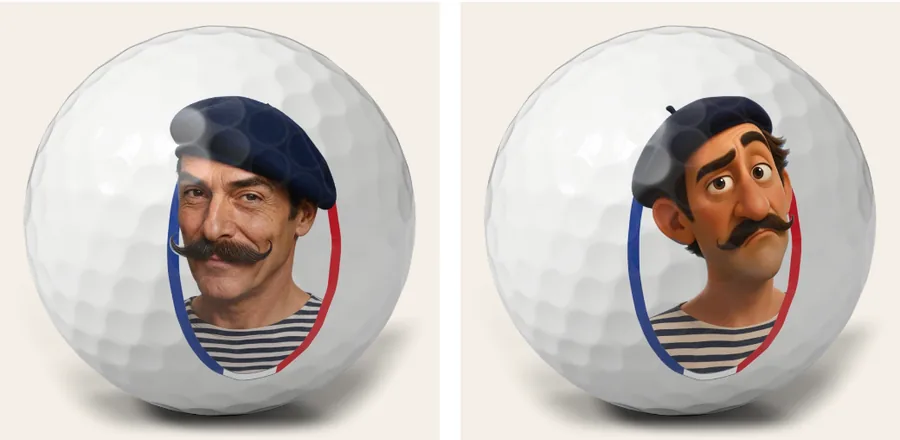
The French sample ball in Photoreal (left) and Stylized 3D (right).
Picking a style
- On a product page, press Photoreal or Stylized 3D under Style. The pictures on the page switch to that style.
- Press Add to cart. The style goes into the cart with the product.
- In your cart, the style is written under the product's name. Check it before you press Check out.
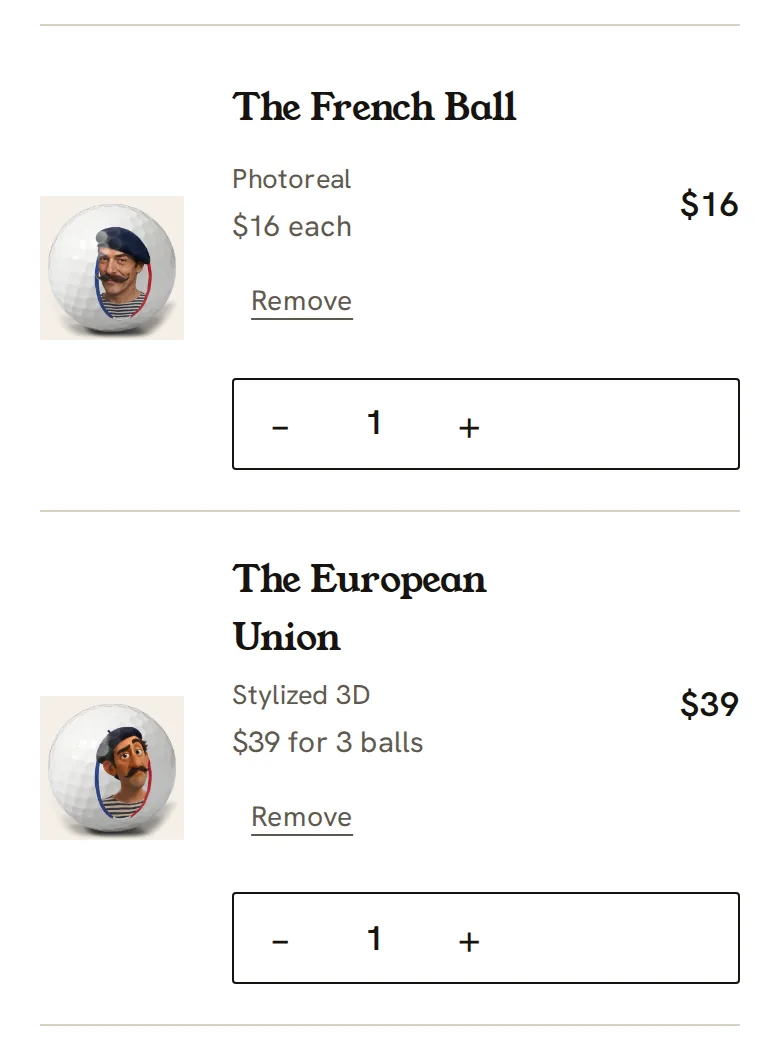
The cart shows the style of each line.
The site remembers your choice in this browser and uses it on every page. On your first visit it shows one of the two at random until you pick.
Good to know
- You can mix styles across products. A Photoreal single and a Stylized 3D sleeve in one order is fine.
- Each product in your cart has one style. If you switch styles and add more of the same product, the whole line changes to the new style. For both styles of the same nation, place two orders.
- A sleeve is printed in the style you picked, all three balls. So is the Full Tower: it's twelve balls, one for each of our twelve nations, all in one style.
- Dealer's Choice shows the same picture in both styles. Your balls are still printed in the style you picked.
- Who's on the ball is a surprise in either style. See Who's on my ball?
Changing it
Before you pay: in your cart, press Remove on that line. Go back to the product page, pick the other style and press Add to cart again.
After you pay, your order confirmation email lists the style next to each product. To change it then, write to us as soon as you can, because printing starts after you order. See Changing or cancelling an order.