

Orders
Changing or cancelling an order
There's no button for this in your account. Write to hello@babelballs.com as soon as you can, or reply to your order confirmation email. Every ball is printed to order, so time matters.
What to put in your email
- Your order number. See Your order number.
- What you'd like: cancel the order, fix the address, or change what's in it.
- For a new address, the whole address, with any apartment number and the ZIP code.
How far along is it?
Open the order from Your orders. Where it is shows Received, then Being printed, then Shipped.
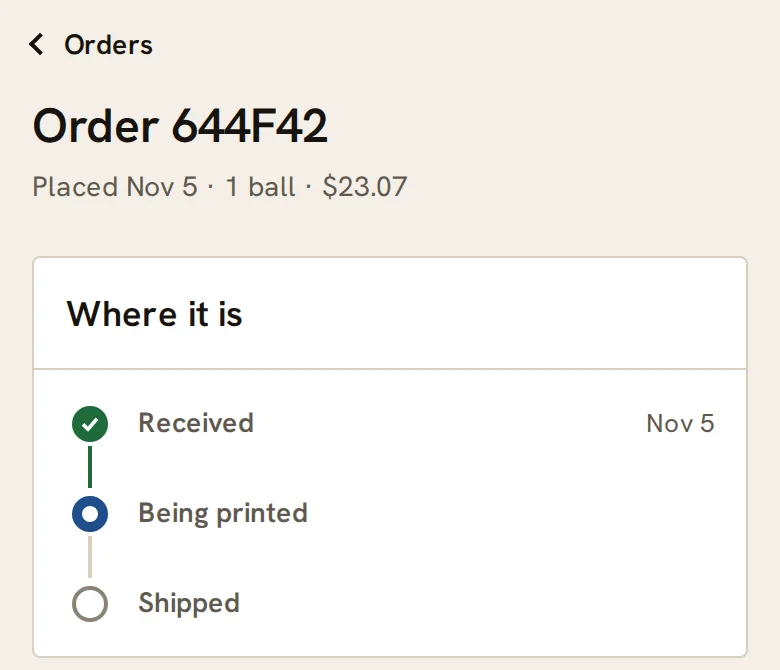
An order that is being printed.
If it already says Shipped, it's on its way to the address on the order. If what arrives is wrong, see Something's wrong with my order.
What the rules say
When an address can still be changed is on our shipping page, under Your address. What happens when you cancel is on our returns page, under Cancelling an order.
What you'll see
- A cancelled order says Cancelled on its page.
- If money goes back to you, we email you with the subject Your BabelBalls refund is on its way, and the order's page shows a Refunded line with the amount.
One thing nobody can change
Which character is on a ball. You choose the nation, we choose the character, and it stays a surprise until you scan the ball.
Was this article helpful?
Be the first to rate this article