

Promo codes
Promo codes go in on your cart, before you press Check out. The payment page after that has no box for a code.
Using a code
- Open your cart.
- Type the code in the Promo code box and press Apply.
- If it works, the cart says "Code" and your code, then "applied." A Discount line with your code appears above Shipping, and the Total goes down.
- Press Check out. The discount goes with you to the payment page.
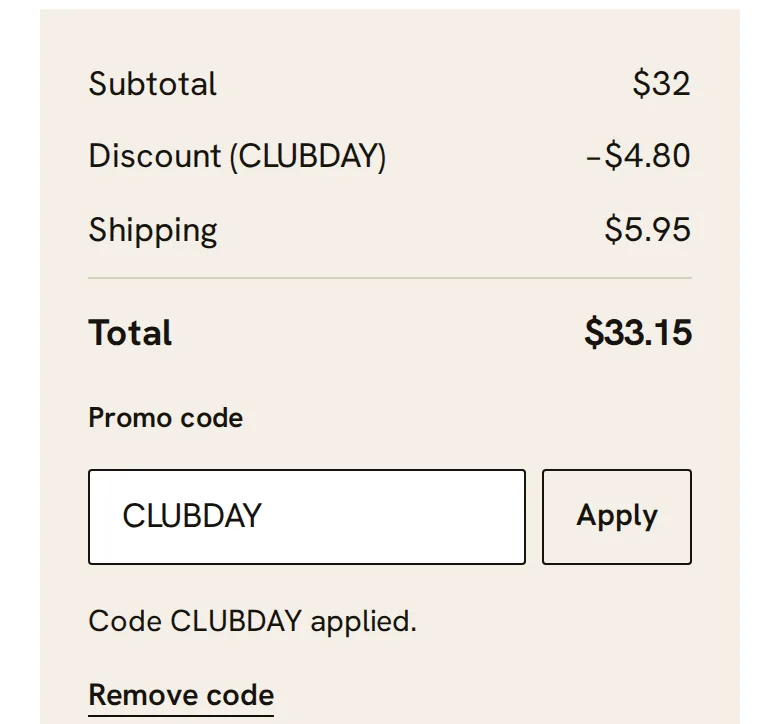
A code applied. CLUBDAY is a made-up code for this picture.
- Only a single code works on an order.
- Capitals don't matter.
- If you change what's in your cart, the cart checks the code again and updates the discount.
- The cart keeps the code while the browser tab stays open.
- To take a code off, press Remove code under the box.
What a code does to shipping
Shipping is free when your balls come to $75.00 or more, counted after the code and before tax. So a code that takes you under $75.00 means you pay the $5.95 shipping, and the cart shows that before you pay. A code that takes off the whole price still leaves the shipping to pay. More in Shipping, and when it's free.
When a code doesn't work
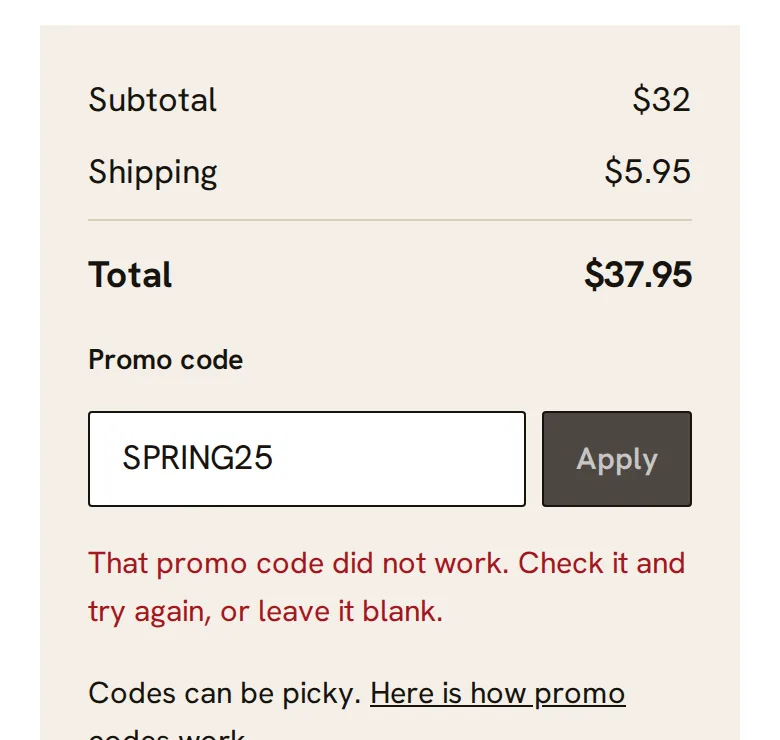
A code turned down. Your cart and its prices stay as they were.
- "That promo code did not work. Check it and try again, or leave it blank." We don't know the code, it has expired or been used up, or it isn't for what's in your cart. Check the spelling and try again. You can still check out without it.
- "Code ... is valid, but it does not lower this order." The code is real, but it takes nothing off what's in this cart.
- "We could not re-check your code just now." A connection hiccup. Your code is still in the box. Press Apply again. Until it goes through, the discount isn't counted.
- "Type a code first." The box was empty when you pressed Apply.
A code is checked once more when you press Check out. If it stopped working in between, the same message appears in the cart and you stay there, so you're never charged a total you didn't see.
Think a code should work and it won't? Write to hello@babelballs.com with the code.