

Lost and found
Found-ball emails, and turning reports off
To stop the emails about a ball, turn its reports off for 30 days. There's no unsubscribe link: these emails come with your account.
The emails
- Someone found one of your balls. Someone scanned a ball of yours and told you they found it. It comes for any ball in your collection, whether or not you marked it lost.
- Your ball has a new home. A finder adopted a ball that was yours. See Can I get my ball back after someone adopted it?
- A ball from your order was adopted. Someone else adopted a ball you bought. It goes to the email the order was placed with.
You get at most one about the same ball every 12 hours, and at most 6 a day in all. When an email is skipped, the report still shows in your account.
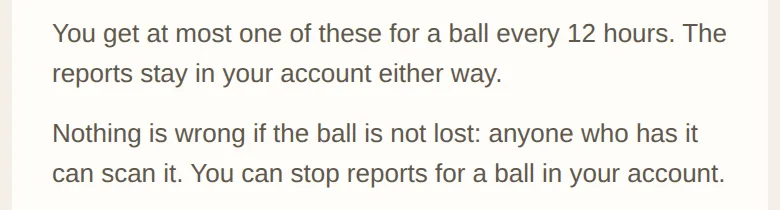
The email says so at the bottom.
Turn reports off for a ball
Stop the reports, and the emails stop with them.
- Open the Balls page in your account and scroll to Lost and found.
- Under the ball, open Reports and press Turn reports off for 30 days. Or, under a report someone sent, open More and press Stop reports for 30 days.
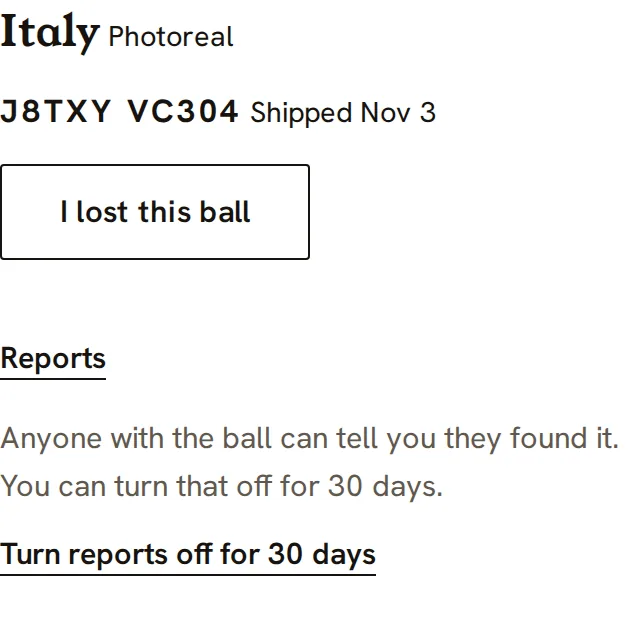
The Reports fold on a ball's card.
While they're off, the ball's page says The owner is not taking new reports right now. After 30 days reports come back on by themselves. Allow reports again turns them on sooner. Turning reports off doesn't stop an adoption of a ball you bought yourself: unless it's marked lost, its page still says This ball can be adopted.
Good to know
- There's no setting that stops them for every ball at once.
- Reply doesn't turn reports off. Let them keep it ends reports for that ball: anyone who scans it can adopt it instead. I still have it closes one report. The answers are in Someone says they found my ball. What now?
- If someone keeps writing nonsense, press Report what they wrote under their report, or write to hello@babelballs.com. Their note is hidden and reports for the ball pause for 30 days.
- Have the ball? I still have it tells the finder The owner has this ball back.
Was this article helpful?
Be the first to rate this article