

Where's my order?
Every ball is printed to order. Printing takes 5 to 7 business days, and your order ships as soon as it's done. When it ships, we email you the carrier and the tracking number.
See it in your account
- Sign in on Your orders with the email address you used at checkout.
- Find the order. Each one shows its number, the day you placed it and where it is: Being printed, Shipped, On hold or Cancelled.
- Once it has shipped, press Track parcel to open the carrier's tracking page. Press View order for everything else.
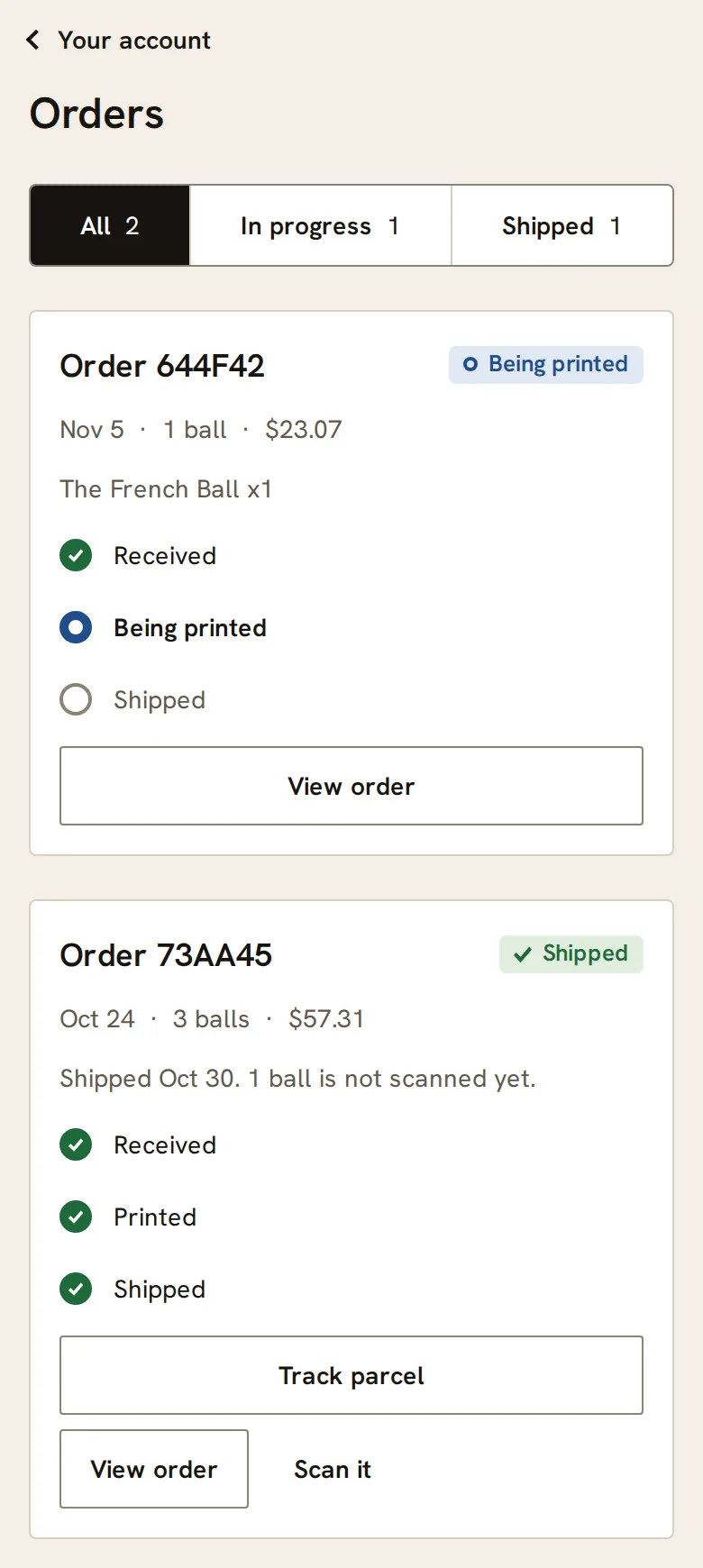
Your orders: one being printed, one shipped.
On the order's own page, Where it is shows each step, then the carrier, the tracking number and a button to the carrier's site.
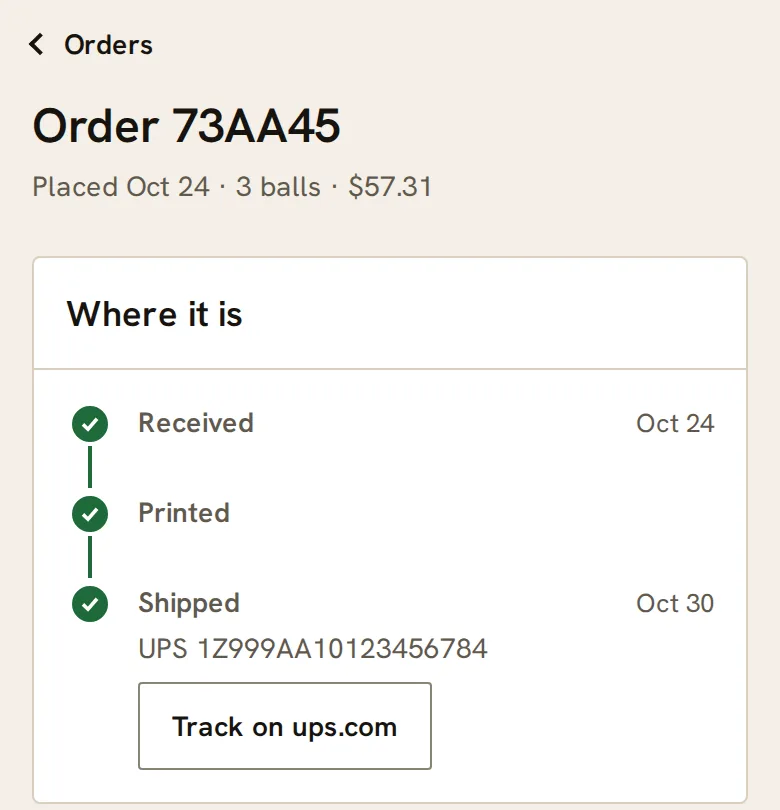
A shipped order, with its tracking number.
Ordered without an account? Make one with the same email address and your orders show up. See I ordered without an account.
Or check your email
We email you when your payment goes through, when the order ships, and when the carrier says it was delivered. The shipped email has a Track your package button. See The emails we send about an order.
A tracking page can take a few hours to show movement after the label is made. After that, how long delivery takes depends on the carrier and where you live.
If it looks stuck
- It still says Being printed after 7 business days (or after 3 business days, if you chose Expedited shipping). Write to hello@babelballs.com with your order number.
- It says On hold: outside our shipping area. We ship only to the 50 states and DC, so an order for any other address is not printed or shipped, and you won't get the usual emails for it. Our shipping page says what happens next.
- It says delivered, but you don't have it. See It says delivered, but it isn't here.
- No emails from us at all. Look in spam and promotions, and search your inbox for BabelBalls. Make sure you're looking in the inbox of the address you typed at checkout. Still nothing? Write to us with your name and roughly when you ordered.