

On the course
Scoring a round with friends
Put everyone on one card, let each golfer score on their own phone with Share, or send everyone a copy of the card afterward. The three work together.
Everyone on one card
When you start a round in Play a round, press Add a player for each person in your group. A card has room for four players. You then score every player on each hole. See The scorecard.
Each golfer scores on their own phone
- Start the round as usual, with everyone on the card.
- On the round's screen, tap Share, then Start sharing.
- Have the other golfer point their camera at the QR code on your screen. Or tap Send link, Text it or Copy link and send it to them.
- They open the link and the page asks Which one are you? They tap their name on the card, or type a first name.
- Everyone now keeps score on their own phone, on the same card, and sees each other's scores.
- The people you share with don't need an account. They see first names and scores only, never your email or phone number.
- Everyone can change every player's scores, unless you turn that off. Then each golfer changes only their own line.
- Copy a read-only link gives someone the scores to watch, with no way to change them.
- Who is in lists everyone who joined. You can remove someone, make a New link (the old links stop working, and everyone already in stays in), or press Stop sharing.
- Only you can finish the round. Finishing it stops the sharing.
- Each phone needs a data connection to send and get scores.
Send everyone a copy afterward
When the round is saved, Send a copy lists each player with Email and Text. The link shows first names and scores only, and works for 60 days. Text sends from your own phone. To email the card, to yourself or anyone else, sign in first.
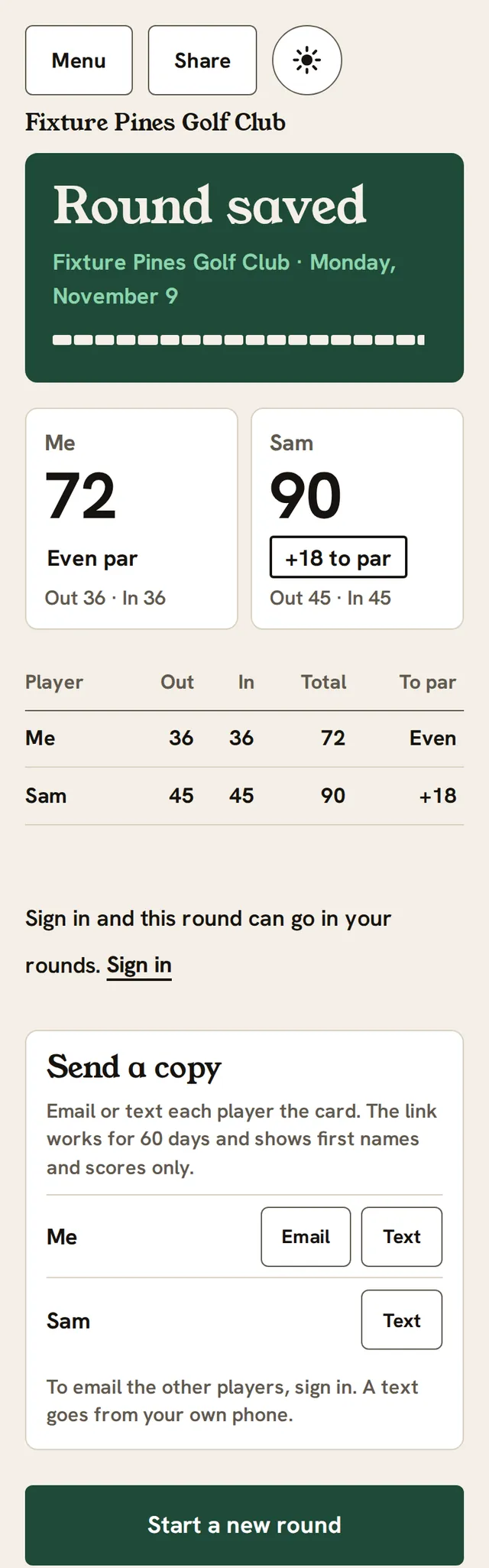
Round saved, with Send a copy for each player.
If it doesn't work
- This link does not work any more. The round was stopped, or the link was replaced. Ask for a fresh one.
- This round is full. No more phones can join this round.
- You already have three shared rounds open. Stop sharing one of them first.
Was this article helpful?
Be the first to rate this article