

The scorecard
The scorecard keeps your score hole by hole on your phone, on any course we list. You don't need a BabelBall or an account to use it. Signed in, your finished rounds are kept in your account too.
Start a round in Play a round
Play a round is the full version, made for using on the course.
- Course. Search by name or town, or tap Courses near me. Your phone asks once for your location. We use it to list nearby courses and don't save it.
- Players. Your name, and Add a player for each person in your group. A card has room for four players. Pick each player's tees if the course has more than one set.
- Holes. 18 holes, Front 9 or Back 9, and the first hole if you're not starting on the first.
- How are you playing? Stroke play, Points (Stableford), or Match play for two to four players. Under BabelBalls games there is Expendable, our own game. How it works explains it.
- Press Start the round.
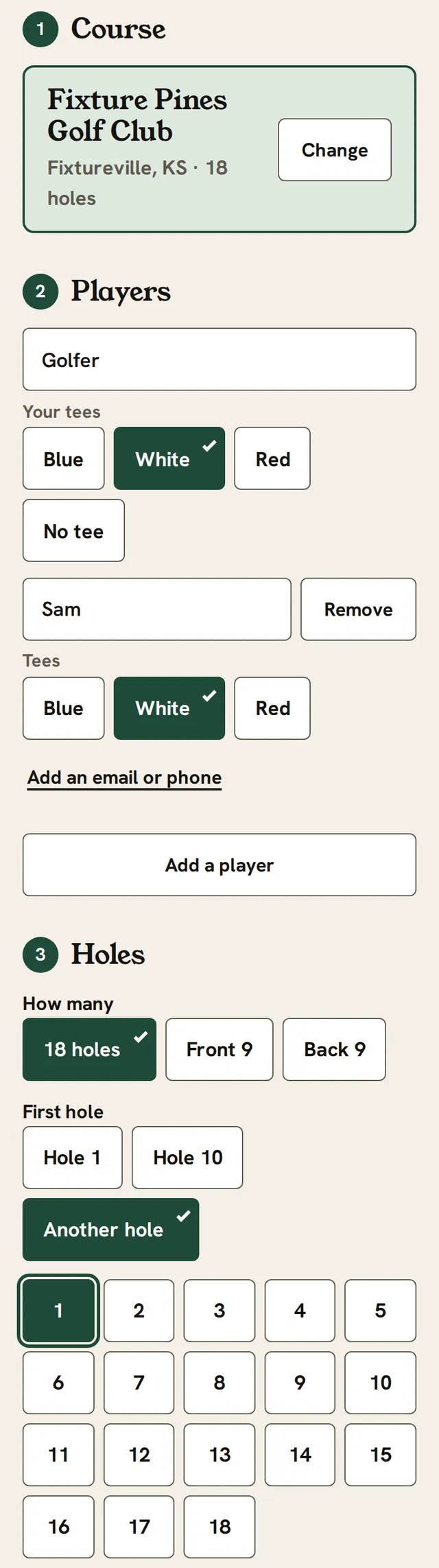
Pick the course, the players and the holes.
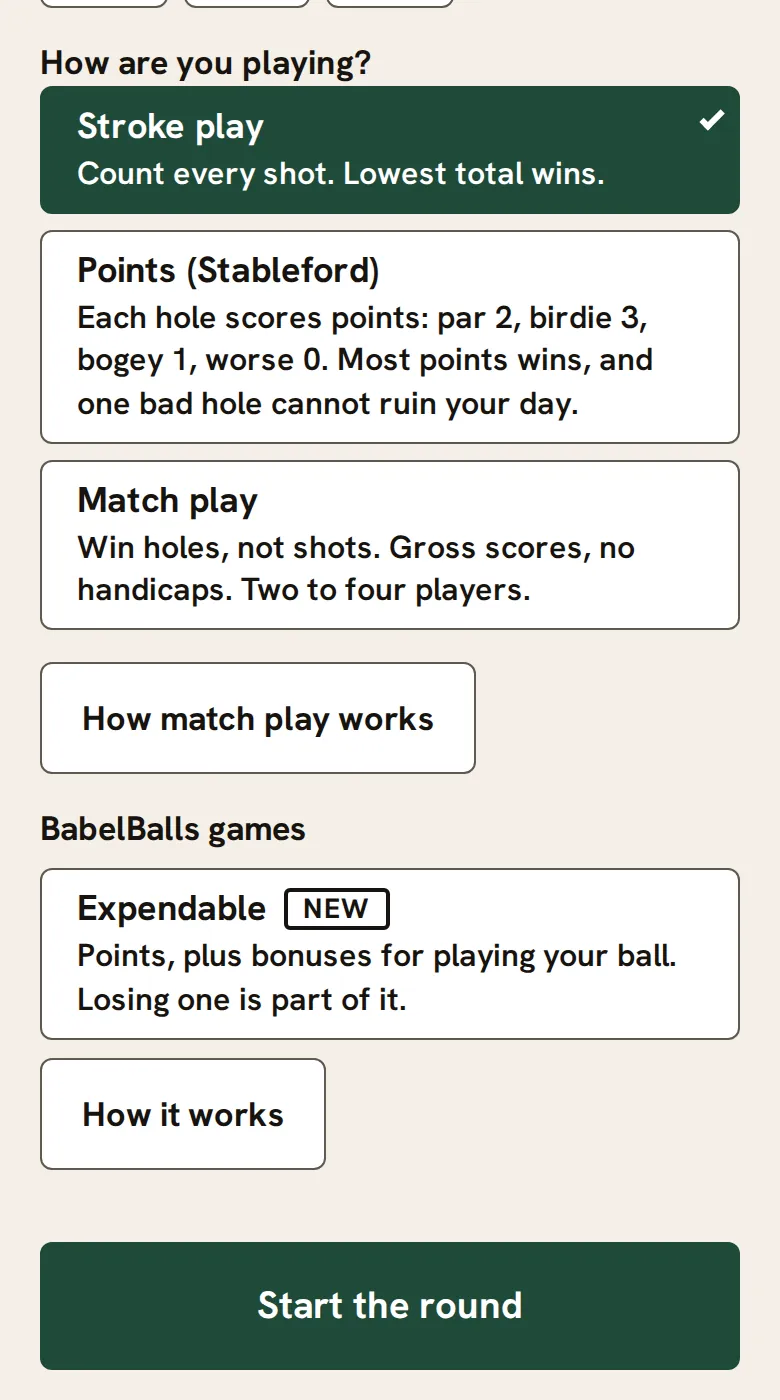
Then how you're playing, and Start the round.
Score each hole
- Each hole shows its par and length from the map. Use the minus and plus buttons to set your strokes. Putts, Fairway, Bunker and penalties are optional.
- Press Next hole. On the last hole it says Finish card.
- Check your card shows every hole. Fix any score by tapping it, then press Save round.
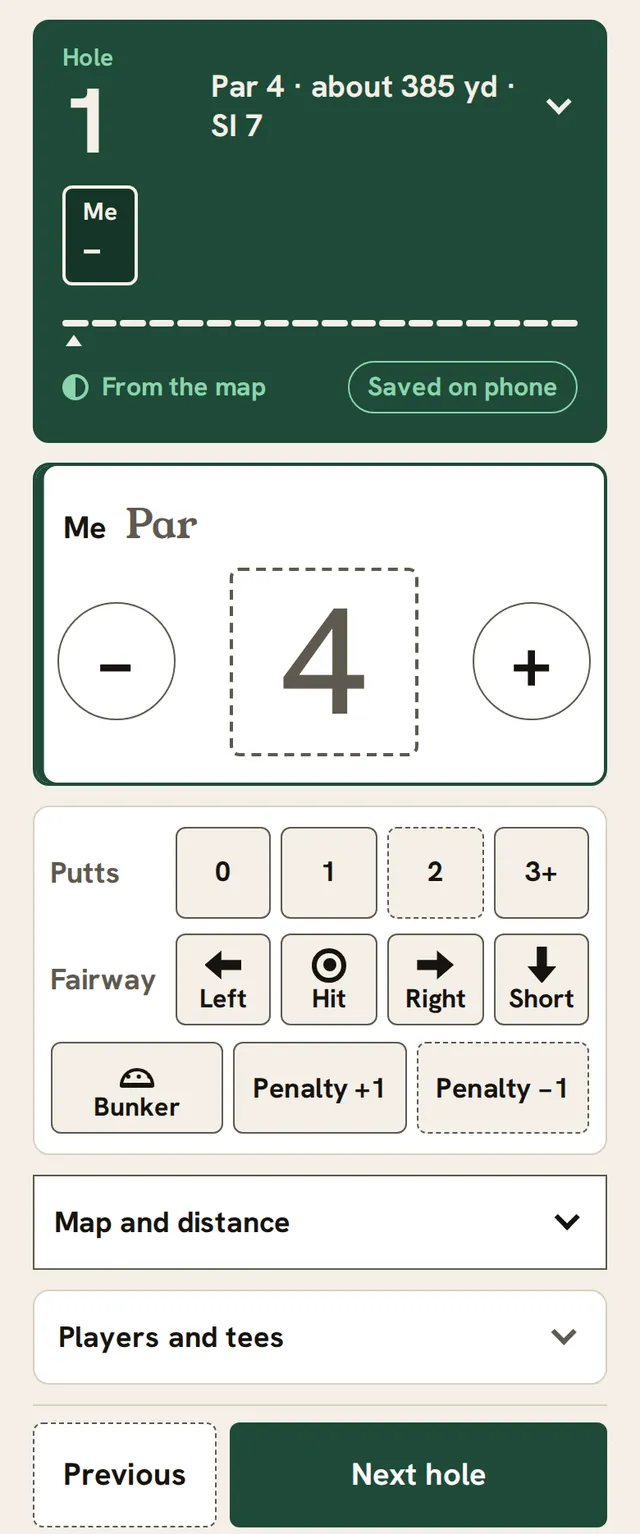
One hole. The dashed number is par until you set your score.
Round saved shows everyone's total. Signed in, the round also goes into your round log. Send a copy emails or texts each player the card.
Every course's page also has a simpler card under Score a round here: pick the holes, press Start a card, and score the same way. See Course pages and maps.
Where your card is kept
- On your phone, as you go. The card says Saved on phone.
- Signed in, in your account too, so a new phone has your rounds.
- If your browser won't let the page save anything, the card still works, but it says the phone will not keep the card after you close the page.
- On an iPhone you can put Play a round on your Home Screen (in Safari, Share, then Add to Home Screen). A round started in Safari stays in Safari, so sign in inside the app too.
Your BabelBalls on the card
Tap Ball, next to Previous at the bottom of a hole, to put the BabelBall you're playing on the card: scan its QR code or type its code. If it goes missing, tap Lost it here on that hole. After the round you can note it and send a search party. See A ball went missing during a round.
Playing with friends? See Scoring a round with friends.