

On the course
Logging a round
The round log is a private logbook in your account: one entry per round, with the course, the day and your score, and the BabelBall you played if you want. Only you can see it.
Log a round
- Sign in, then open Log a round. You can also get there from Your rounds, which is in your account and at the bottom of every page.
- Which ball. Pick one of the balls on your account, or No ball yet.
- Course. Type its name. Courses you have logged before show up under Recent courses, so you can tap one. Add the town and state is optional.
- When. Today, Yesterday or Another day. Another day asks for the date.
- Holes. 9, 18 or Other.
- Score. Optional. Leave it empty if you didn't keep score.
- Did the ball come home? Came home or Lost it.
- Press Save round.
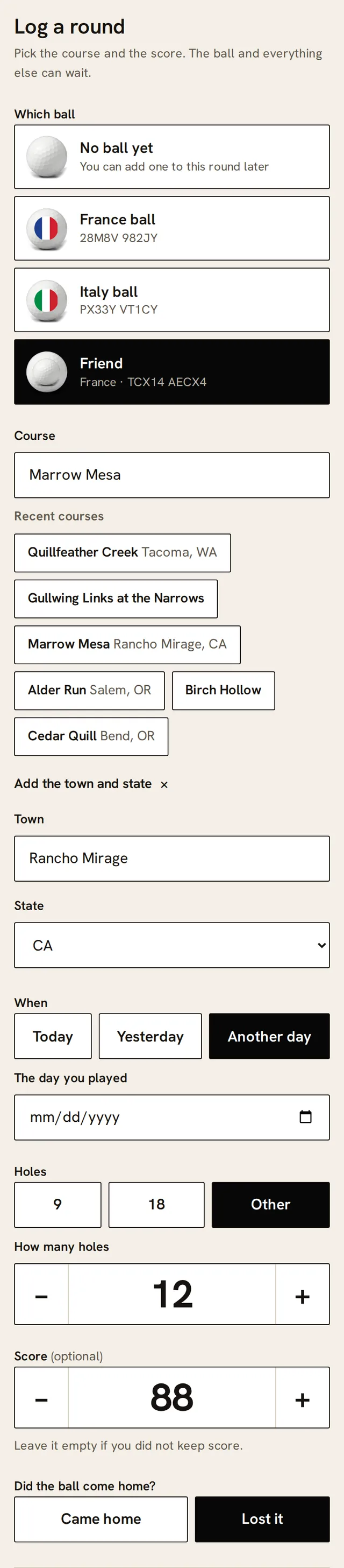
The form. Only the course is needed. The rest is optional or already filled in.
You see Round saved. With a ball on the round, you also get a short report on the round and how many rounds that ball has played.
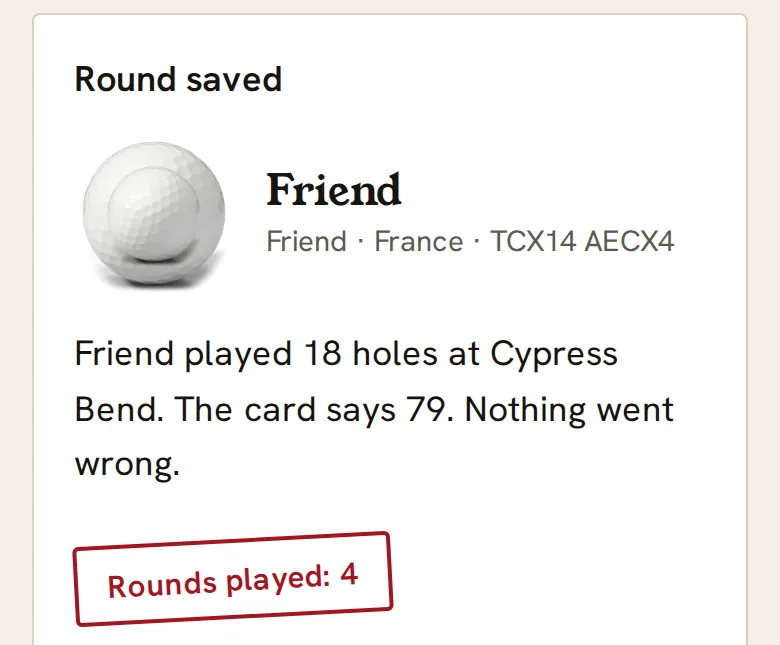
Round saved, with a ball on it.
The details, if you like
Add the details opens a few more questions: How did it behave?, How many times? (water, bunkers, trees and mulligans), Who is to blame?, and a note.
Good to know
- No ball yet? Save the round anyway. You can add a ball later and it remembers the round.
- Lost it only goes in your log. It doesn't mark the ball lost. To do that, see Lost a ball? Mark it lost.
- Kept a scorecard? A finished card can go straight into your rounds, so you don't type it twice. See The scorecard.
- Change or delete a round from Your rounds: open it, change it and save, or press Delete this round.
If it doesn't work
- The page says Sign in to log a round: sign in first. Rounds belong to your account.
- It says Confirm your email address first: follow the link in the email we sent when you made your account.
- Your ball isn't in the list: only balls on your account are. Adopt it first. See Adopt a ball.
Who sees it
Only you. The course and your note are stored encrypted. Your rounds are in your data download, and they're deleted when you delete your account.
Was this article helpful?
Be the first to rate this article