

Scan your ball
Point your phone's camera at the QR code on the back of the ball. That ball's page opens, and you meet the character printed on the front. You don't need an app or an account.
Just opened a new box? The packing slip has a QR code labeled Start here that opens every ball in the box at once. See Tap a tag.
Scan it with your camera
- Turn the ball over. The QR code is on the side opposite the picture, with letters and numbers printed above and below it.
- Open your phone's camera and point it at the code. Hold the ball about four inches away, in good light. A golf ball is round, so tilt it a little if a dimple catches the light.
- Tap the link your camera shows. It opens a page on babelballs.com.
- Meet your character. The page says who you found, and adds them to your collection on that phone.
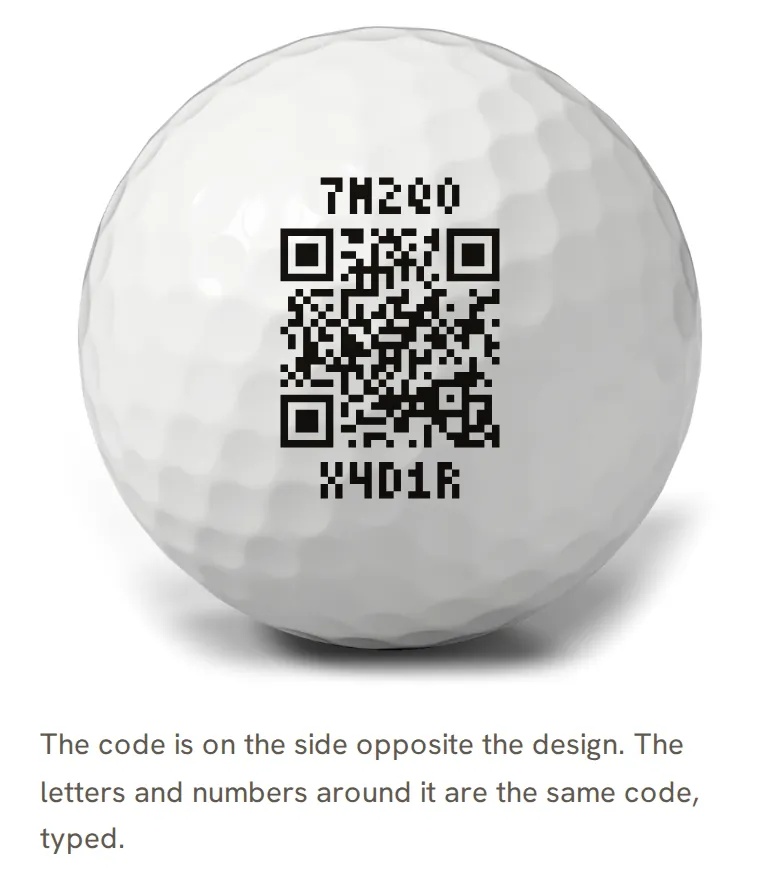
The code is on the back. The letters and numbers around it are the same code, typed out.
Or type the code
- Go to babelballs.com/scan, or tap Scan a ball at the bottom of any page.
- Type the letters and numbers printed above and below the QR code, both groups. Capitals, spaces and dashes don't matter.
- Press Find my friend. The ball's page opens.
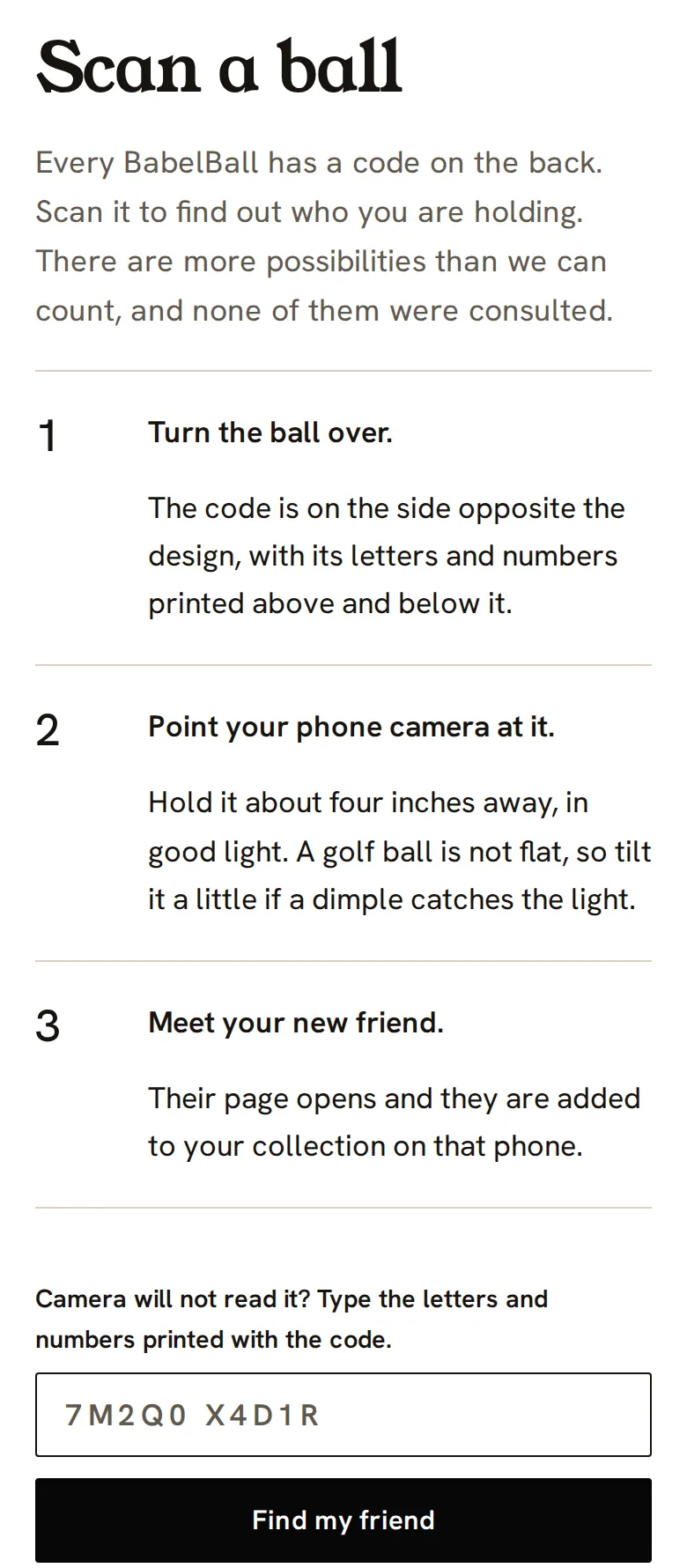
The Scan a ball page. Type the code in the box under the steps.
Your collection
Everyone you meet goes into Your collection, in the site's menu. It's saved in the browser you scanned with. If you're signed in, your collection follows you to any phone where you sign in.
The ball's page may also say This ball can be adopted. Adopting puts the ball itself in your collection. See Adopt a ball.
If it doesn't work
That happens. A round ball is hard on a QR code.
- The camera won't read it: type the code instead, as above.
- The page says That page went its own way: the code was typed wrong. Check it against the ball.
- Anything else: see My ball won't scan.