

Tap a tag
Some boxes and sleeves come with a small NFC tag, a sticker your phone reads by touch. Tap it, type the end of the code printed on any ball inside, and you get every ball in that box.
Tap the tag
- Hold the top of your phone against the tag. On an iPhone (XS or newer) there is nothing to switch on. On Android, NFC must be on in Settings.
- Open the link your phone shows. A page called Hold the ball opens on babelballs.com. It shows nothing about the balls yet.
- Open the box and turn any ball over. The code is printed above and below the QR code on the back.
- Type the end of the code from the group under the QR. The screen says how much to type. Then press Open.
Why it asks: Why the tag asks you to type a bit of the code.
No tag? Use the Start here code
The packing slip in the box has a QR code labeled Start here. Point your phone's camera at it and tap the link. The same Hold the ball page opens, and it asks the same thing: the end of the code printed on any ball in the box.
The slip's code covers your whole order, so the page lists every ball that came in the box, in every sleeve.
What you see next
A page called The balls in this box, The balls in this sleeve when the box holds one sleeve, or This ball when it holds one ball. A box's tag covers every ball in the box, sleeves and single balls alike, as the packing slip's code does. Until you adopt them, each card shows the ball's nation and stays face down.
If the box was sent to you as a gift, the page starts with A gift from and the name of whoever sent it, with their note under it.
For the next 10 minutes, tapping the tag again on the same phone and browser skips the question.
Adopt the whole box at once
If the balls can be adopted, the same page offers to do it in one go. Adopting puts the balls in your collection, and then you turn their cards over one at a time.
- Signed in, with your email confirmed: press Adopt these balls.
- Not signed in: press Create a free account, or Sign in if you already have one. An account needs only your email address. Then come back to the tag. For a new account, the link in the confirmation email brings you back to the box already open, without the code, even on another phone or browser.
- Email not confirmed yet: press Confirm your email, confirm it, and come back.
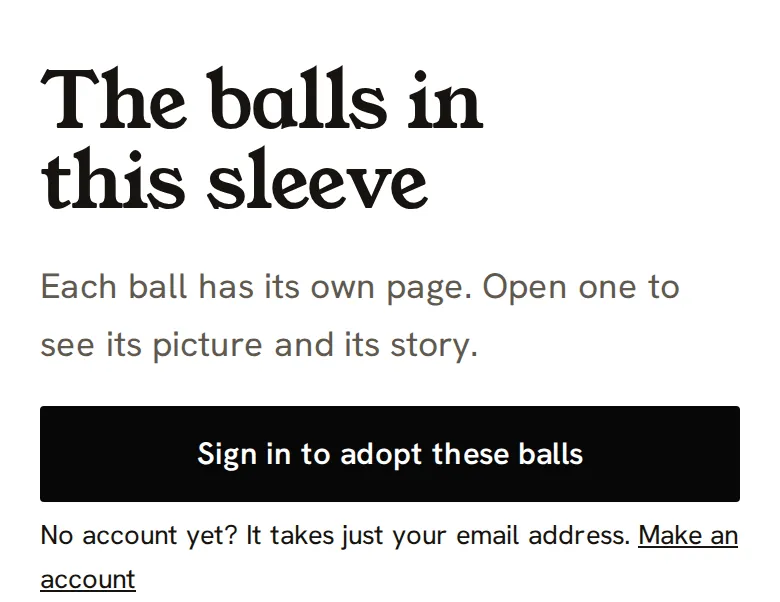
After the right code: the box's balls, and the button to adopt them.
Once the balls are yours, their cards turn over one at a time: tap a card, or press Turn it over, then Learn more or Next. After the last one you see That is everyone, with See your collection and Play a round, which opens the scorecard. See The scorecard.
You can also adopt each ball on its own page. See Adopt a ball.
If it doesn't work
- That is not it. What you typed doesn't match any ball in the box. Check it and try again.
- Resting for an hour. After five wrong tries the page stops taking codes for an hour, whether you came from the tag or the Start here code. The balls are fine: scan the QR code on any of them instead.
- Nothing happens when you tap. Move the phone slowly around the tag, or scan the QR code on a ball. See Scan your ball.